
Visual Clarity. Clear Signals. No Noise.
Why Choose Quant Indicators?
The Quant Indicators Pack was created to help traders master market reading through powerful visual tools and custom-built algorithms. No distractions, just what matters.
Compatible with Cryptocurrencies, Stocks, and Commodities.
Updated regularly.
Easy to use — even with a free TradingView account.
Seamless setup and integration.
WinWise Quant Indicators
Exclusive technical indicators for TradingView, developed by WinWise analysts. Built to deliver clean market reads, multi-timeframe context, and high-precision entry and exit signals.
What's Included?
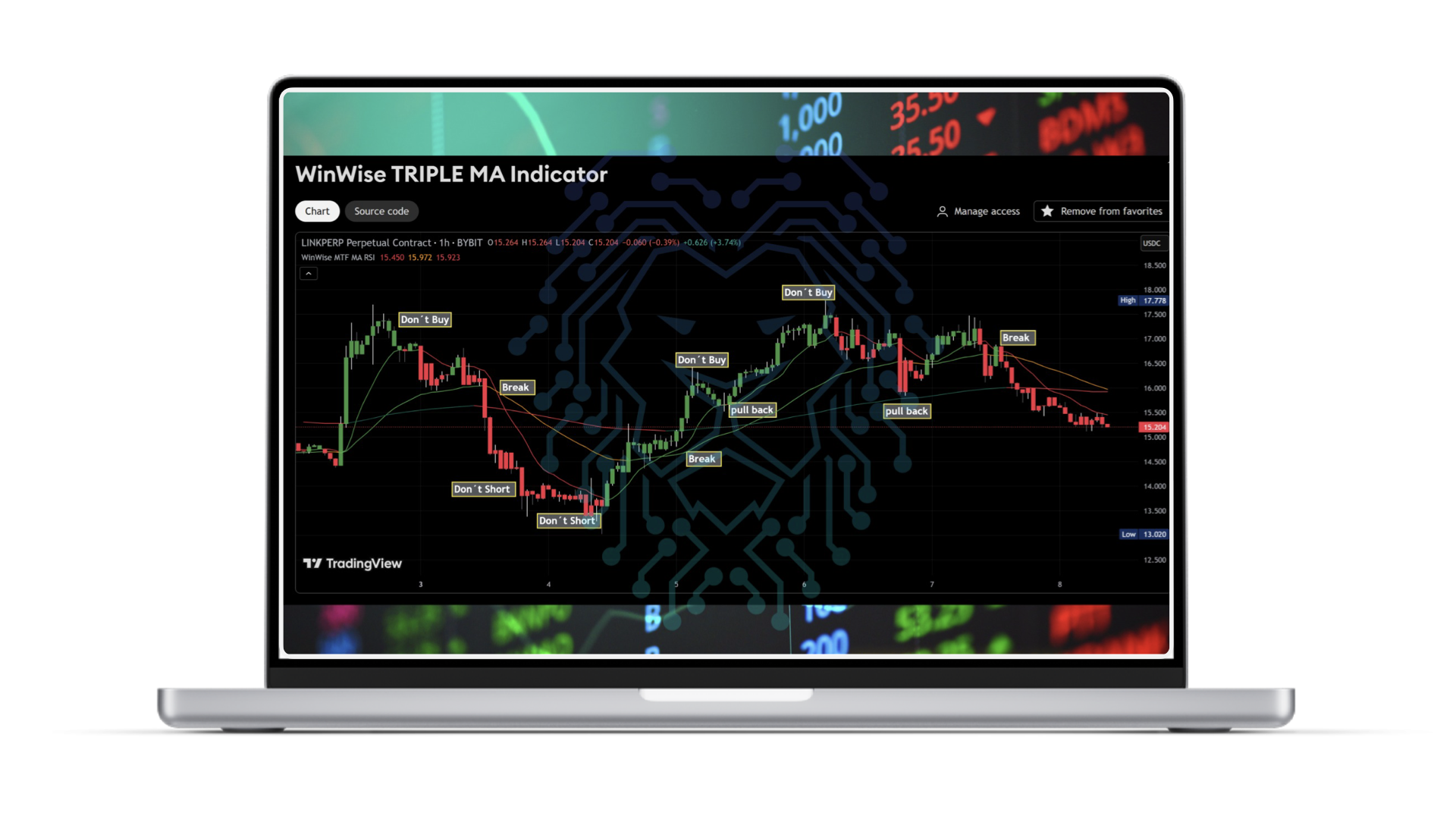
TRIPLE MA Indicator
Multi-Timeframe + RSI Heatmap + Configurable MAs
Combines 3 customisable moving averages with visual RSI coloring — non-repainting. Perfect for identifying trend zones, entries, and overall direction.
🧠 Highlights don’t-buy zones, breakout zones, and pullback opportunities..
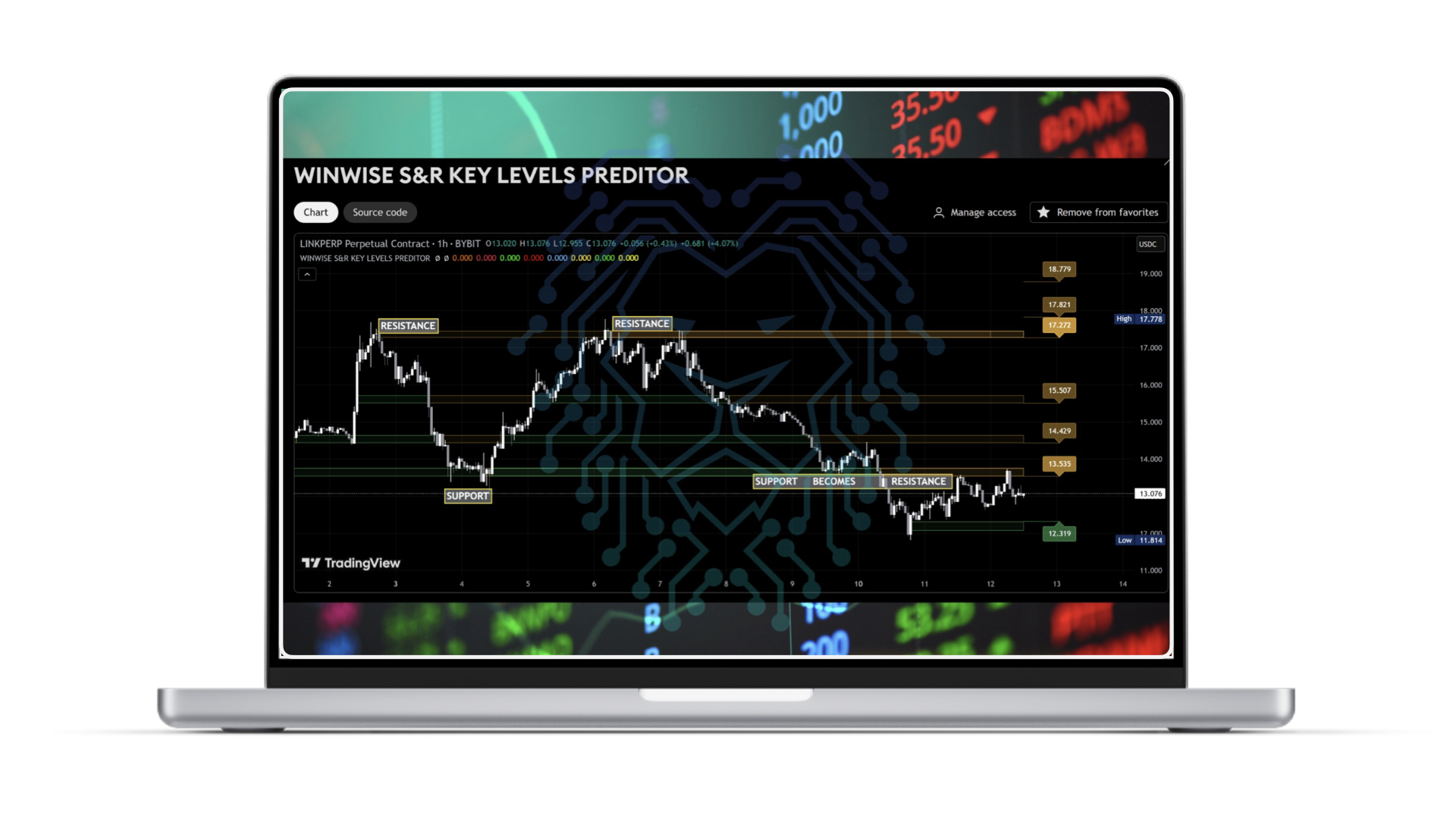
KEY LEVELS Predictor
Support/Resistance Zones + Pattern Recognition
Automatically detects valid breakouts, fakeouts (traps), and retests.
📌 Includes built-in candlestick pattern recognition and momentum alerts.
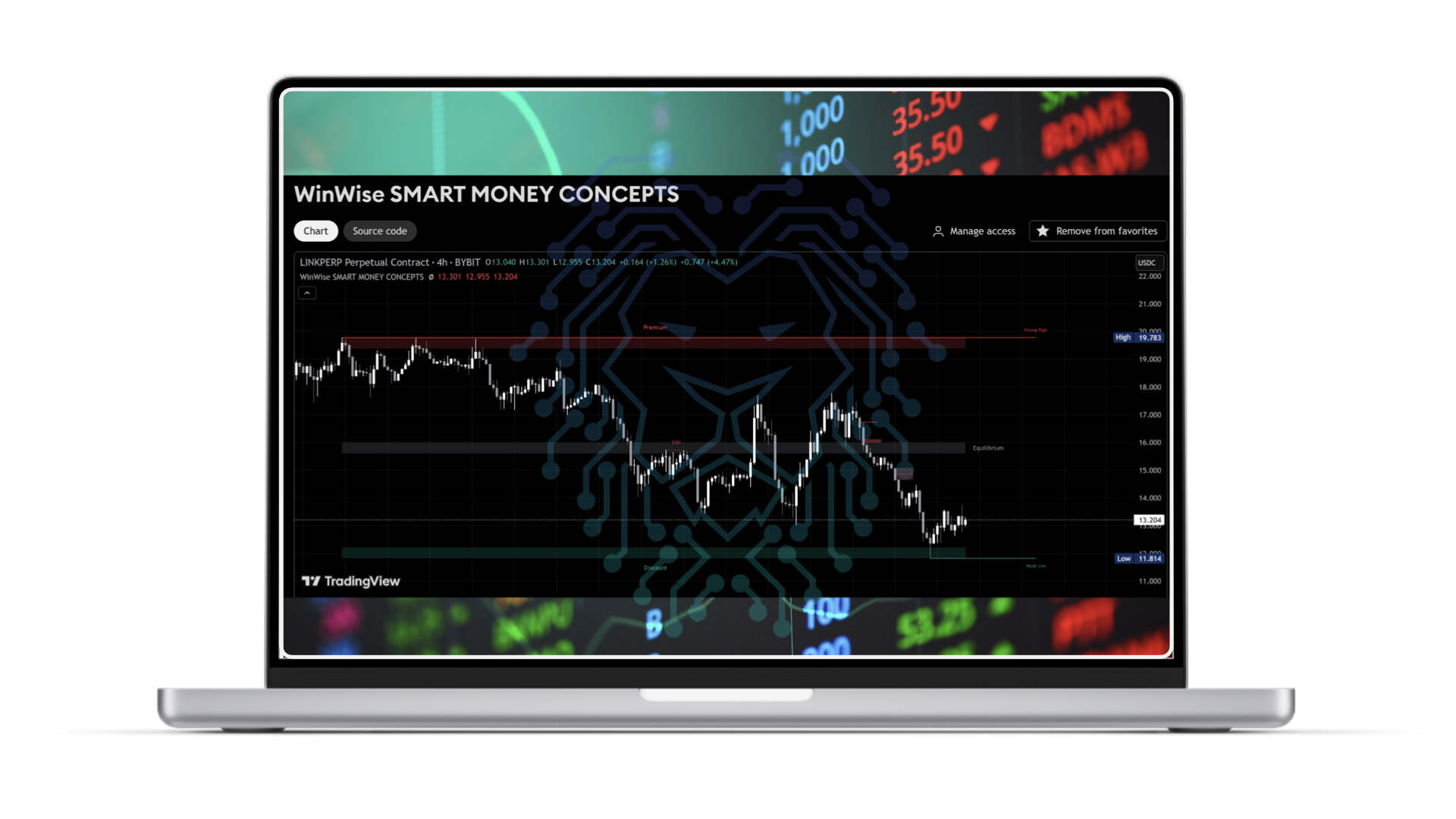
SMART MONEY CONCEPTS
Market Structure + Liquidity Zones + FVGs + Order Blocks
Institutional-level view of the chart. Automatically marks BOS, CHoCH, EQH/EQL, and value zones.
🧠 Real-time alerts, swing points, and premium/discount areas — fully customisable.
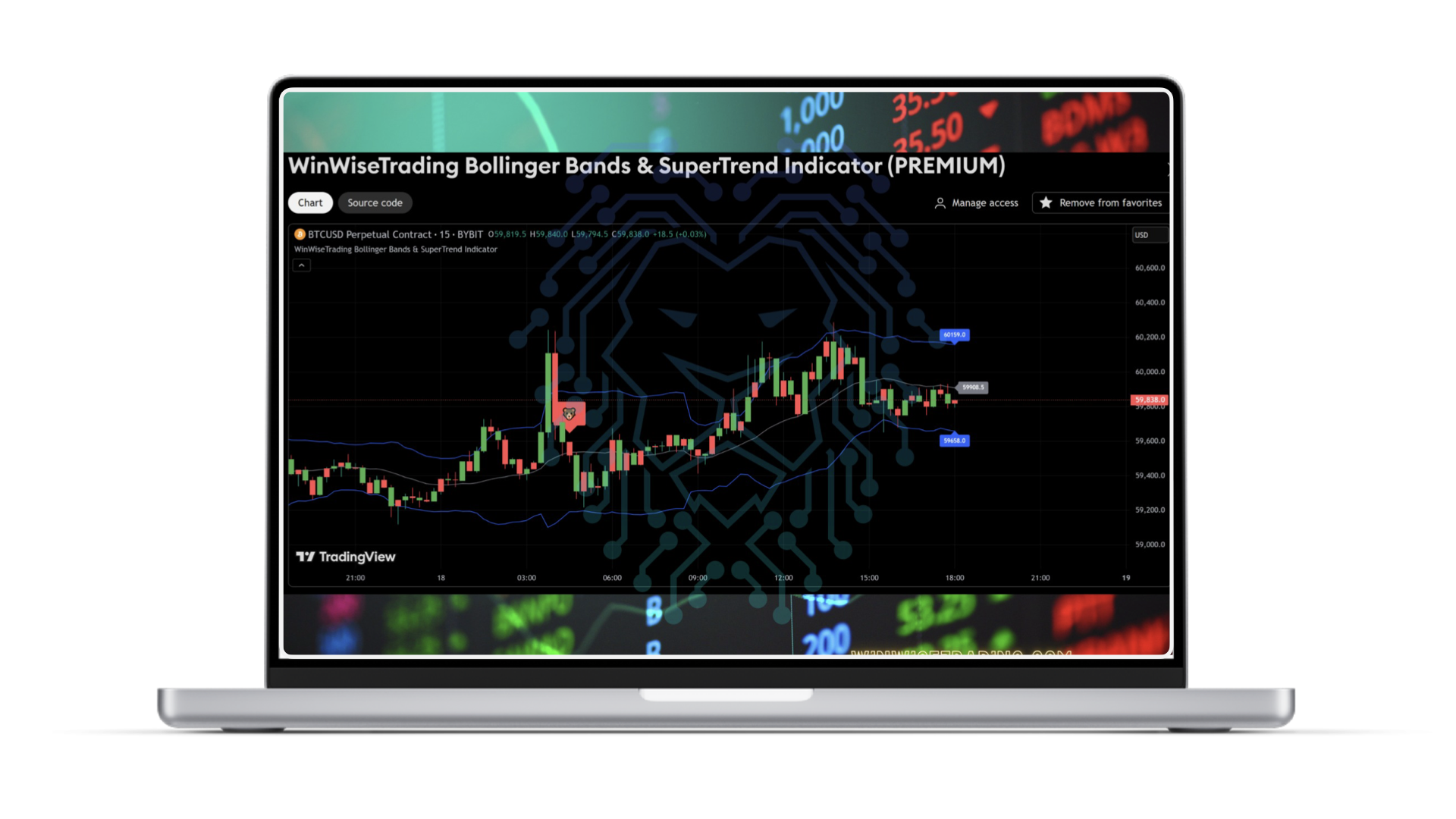
BOLLINGER BANDS & SUPERTREND
Volatility + Trend with Smart Confluence
Buy and sell signals only trigger when price crosses SMMA20 with trend alignment from SuperTrend.
💥 Trend-based candle coloring and intuitive visual structure.
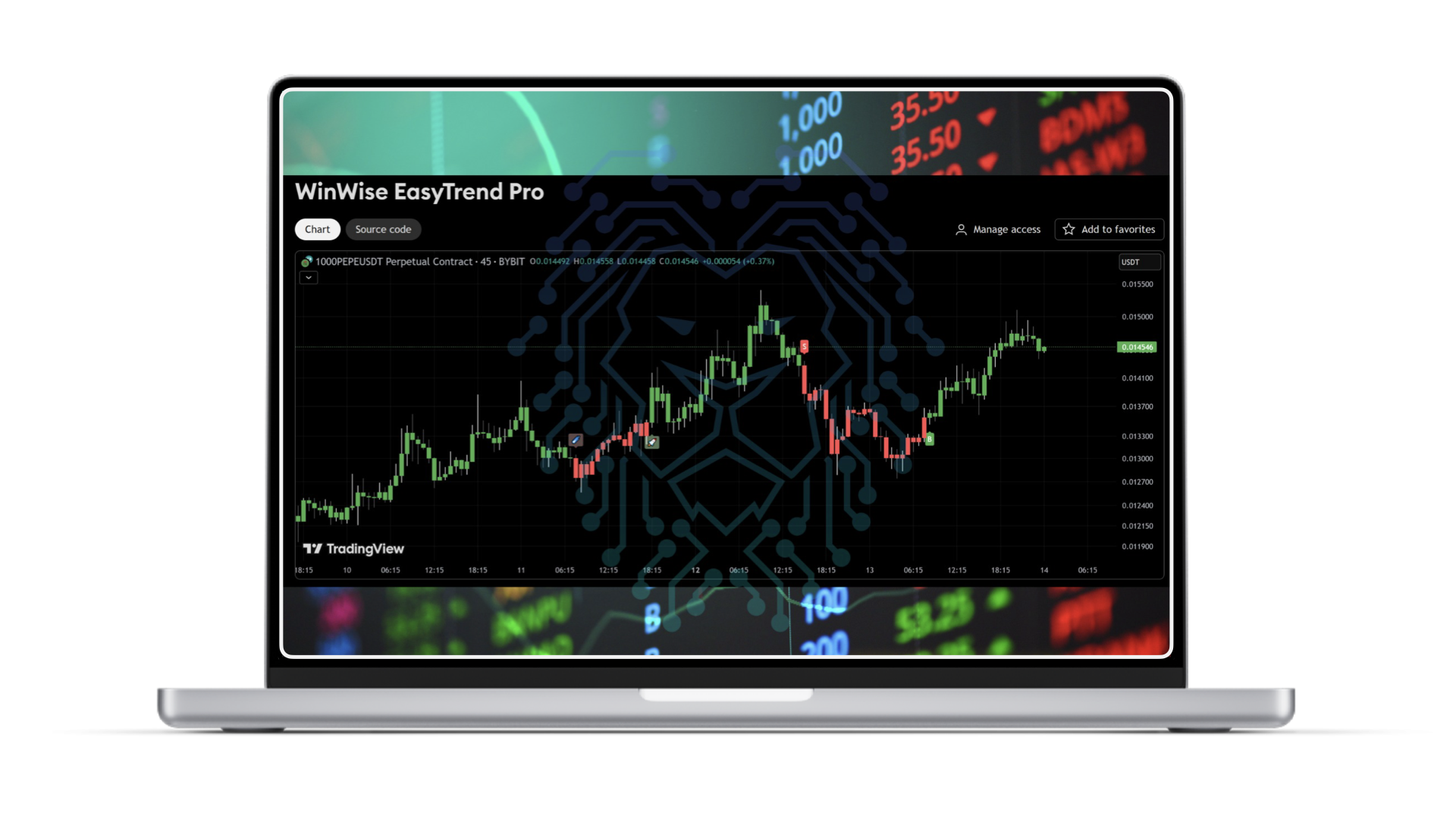
EASYTREND PRO
Clean Signals with Simple Visual Cues
"B" = Buy | "S" = Sell, with 🚀 and ☄️ icons for strong trend momentum.
🔍 Candlestick coloring by trend direction and internal structure filters.
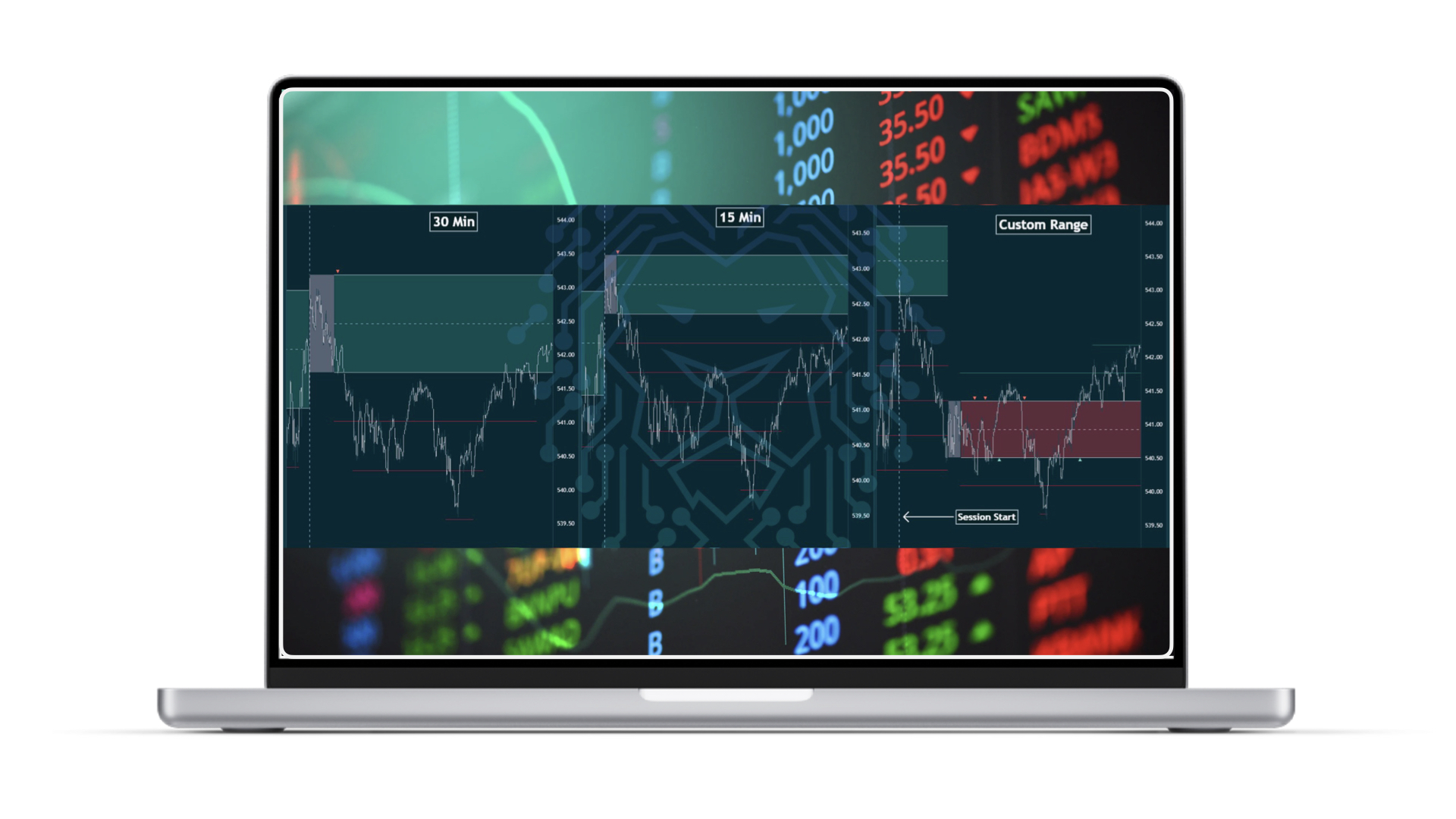
OPENING RANGE
30 Min vs 15 Min vs Custom Range
💥Automatically defines the session's opening range based on a fixed time interval (e.g., 15min or 30min), or a fully customized range. Flexible and adaptable to any trading style.
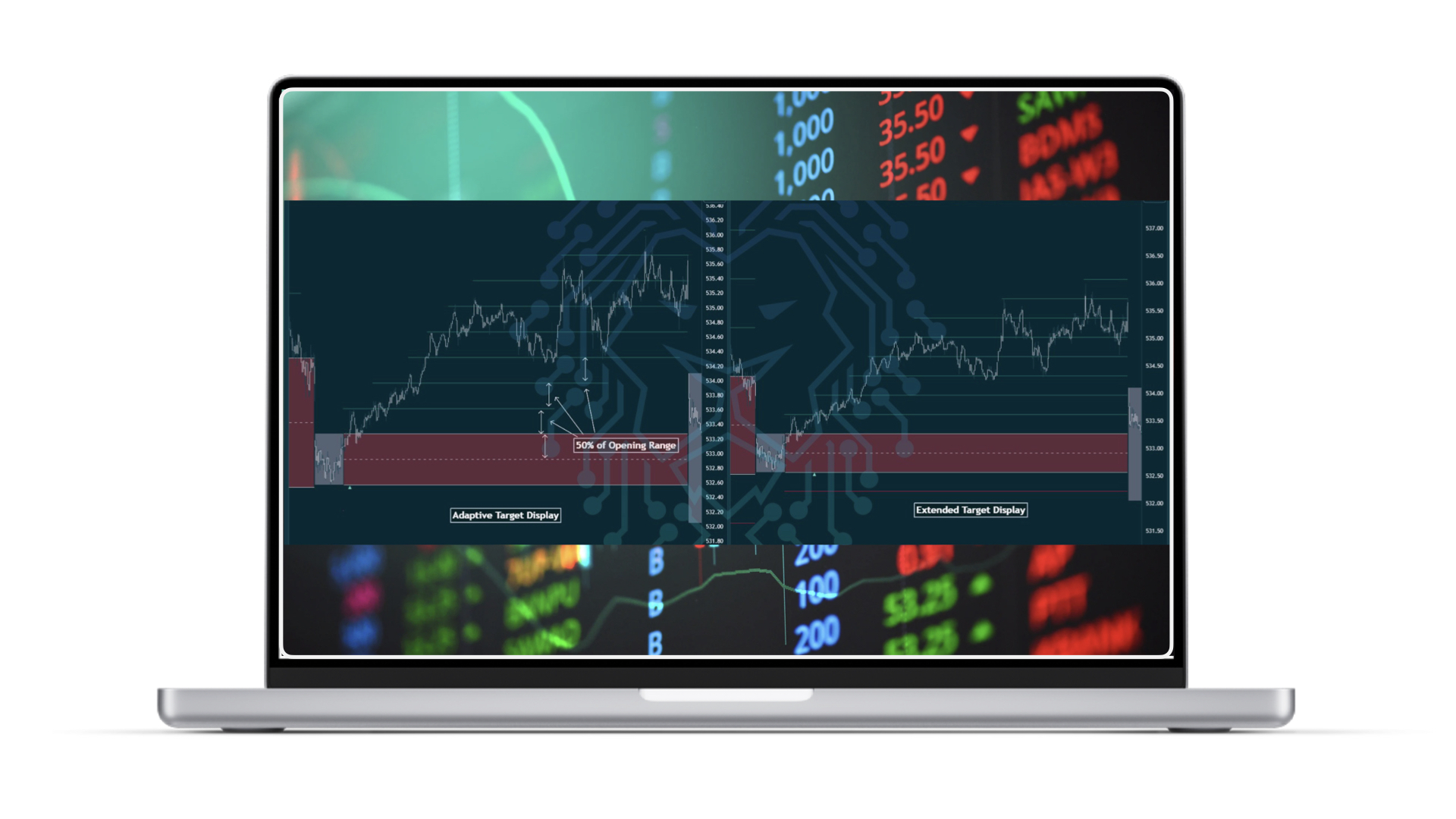
ADAPTIVE VS EXTENDED TARGET DISPLAY
💥Choose between two target display modes:
Adaptive: shows only the two nearest active targets
Extended: shows all crossed targets throughout the session
Keep your chart clean or maximize analysis — you decide.
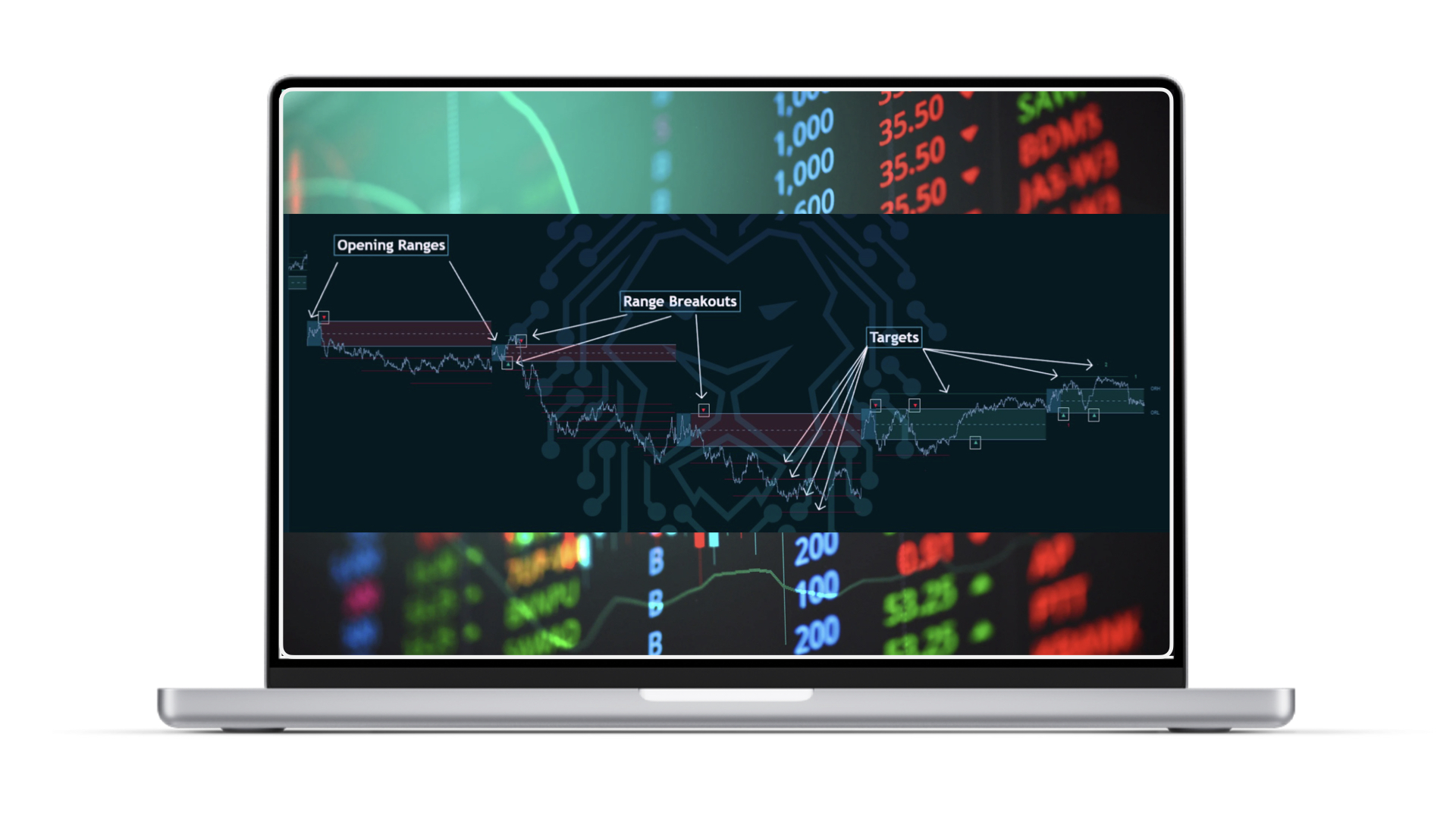
OPENING RANGES, BREAKOUTS & TARGETS
💥 Volatility + Trend with Smart Confluence
WRB highlights the range zone, detects breakouts, and automatically projects multiple dynamic targets based on the range width. A clear structure for confident entries.
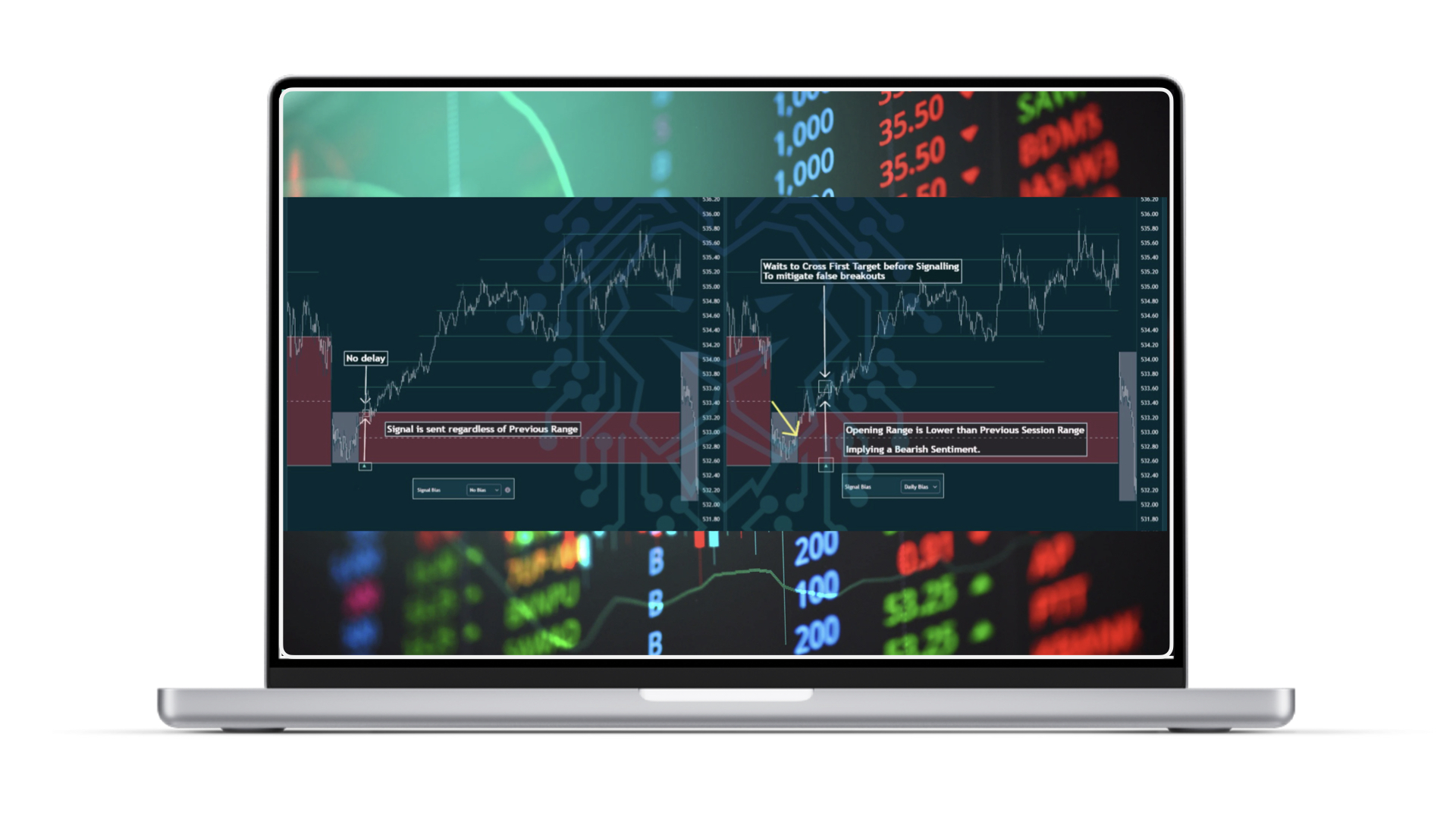
SIGNAL BIAS: ON VS OF
💥 When Signal Bias is enabled, signals only trigger in alignment with the previous day's directional bias — ideal for filtering out false breakouts. When disabled, signals are fired immediately upon breakout.
FAQ – Frequently Asked Questions
Do I need the paid version of TradingView?
No. All indicators work perfectly with the free version of TradingView.
Are these indicators only for crypto trading?
Not at all. They work with crypto, stocks, and commodities.
Are the signals easy to read?
Yes. Most indicators use colors, labels, and icons to provide clear visual guidance — even for beginners.
Can I combine these with other indicators?
Yes. They’re designed to work either standalone or in synergy with each other and external tools.
Is support included?
Yes. Active members have access to support via Telegram through the WinWise team.
IMMEDIATE ACCESS 98 USDT
VALIDITY: 365 DAYS
Wiser Membership required.
Already a WinWise Member? Just click "Activate Quant Indicators".
Not a member yet? Reach out to our Support team for guidance.
Powered by WinWise
Born in Dubai, Made for the World.